

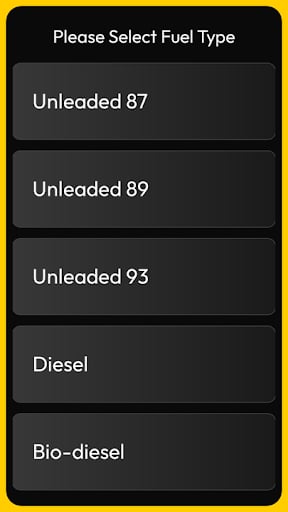
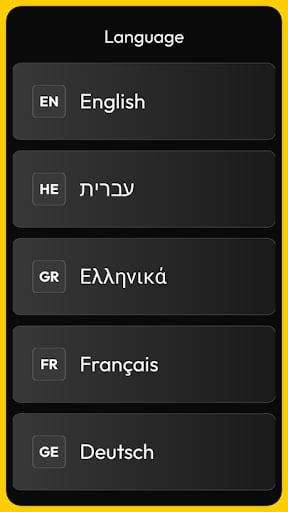
displaySelect method allows the client application to present a menu or a list of choices to the customer. This serves as a key component for interactive workflows where the user must make a decision before the transaction can proceed.
Use this method to:
- Offer product selections between different fuel grades, such as Regular, Mid-grade, or Premium.
- Enable language selection to allow the customer to choose their preferred language for the session.
- Present service options like adding a car wash or selecting a specific pump number.
- Provide loyalty choices, such as asking the user to “Use Points” or “Save for Later.”
Requests
All requests must include atitle for the menu and an array of options. Each option should have a label that the customer will see.
The following example shows a typical request:
Parameter Definitions
The table below describes the parameters available for this request:Responses
The terminal returns the index or the value of the option selected by the customer. The following example shows a typical response:Response Parameters
Thedata object contains the result of the customer’s interaction: