

Payment Flow
Visualize the Post-Pay process with the diagram below, which illustrates the direct sequence from reader activation to successful payment and receipt printing.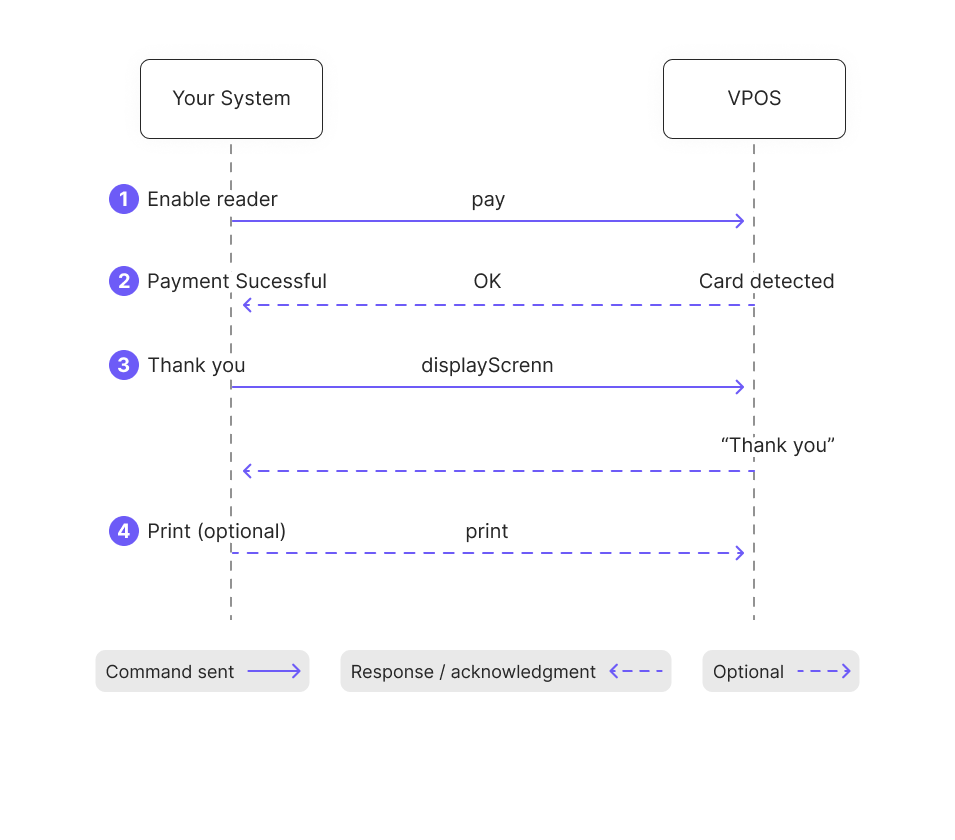
- Your system initiates the transaction by sending the
paycommand to the VPOS terminal. - The VPOS enables the reader, detects the card, and processes the payment. Upon success, it returns an OK response to your system.
- Your system sends a
displayScreencommand to the VPOS to show the confirmation message: “Thank you.” - If a physical record is needed, your system triggers the
printcommand.