- In your Dashboard go to Operations > Machines.
- Click Create > New Machine.
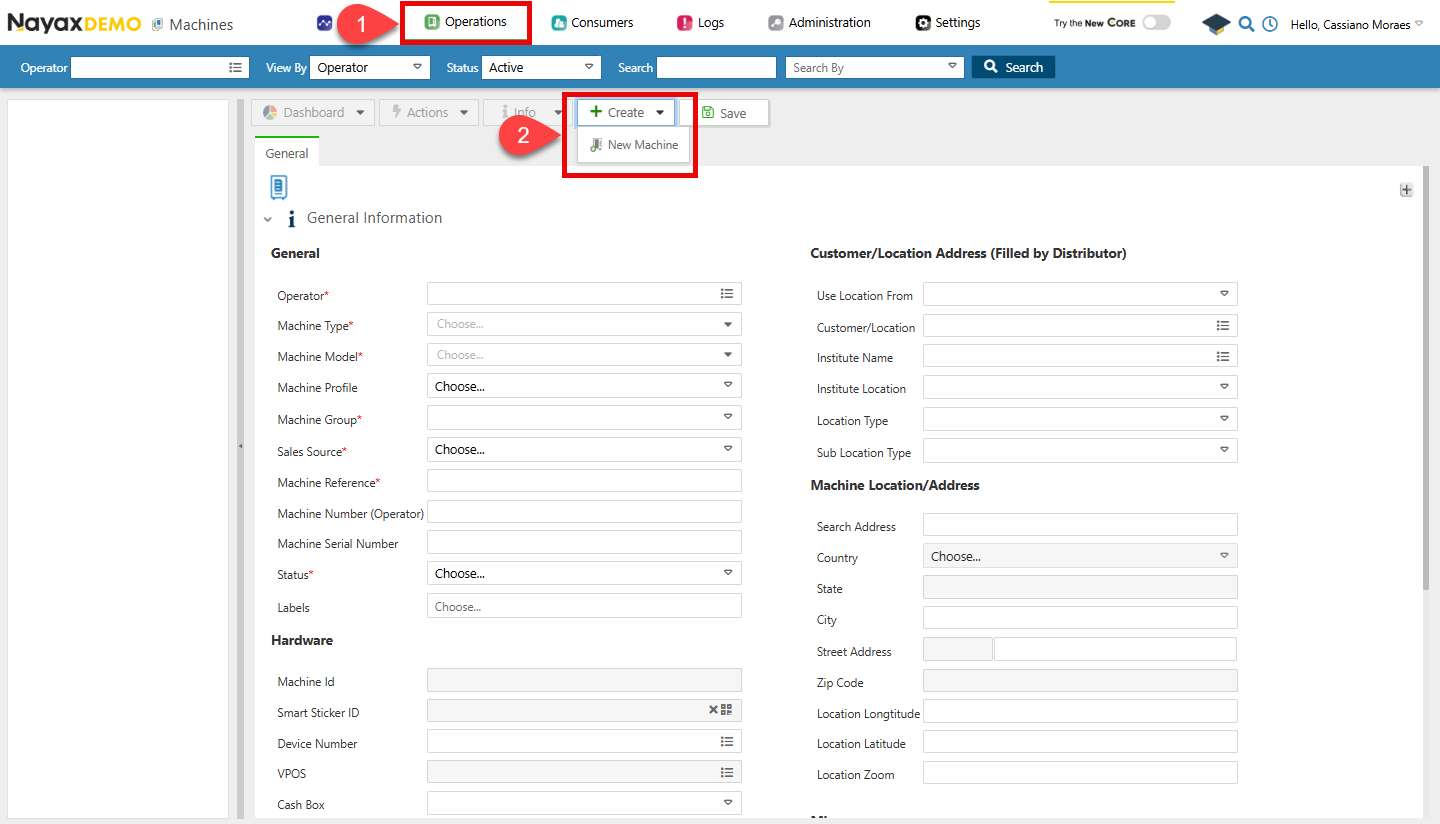
- Now you can fill all the details on the form, once you are finished click on Save.
Request to Create New Machine
Use the Create New Machine endpoint to create a new machine. The following code block exemplifies the request to create a new machine:
You will receive a response containing the details of the newly created machine, including the newly created machine’s
MachineID.
Verify Creation
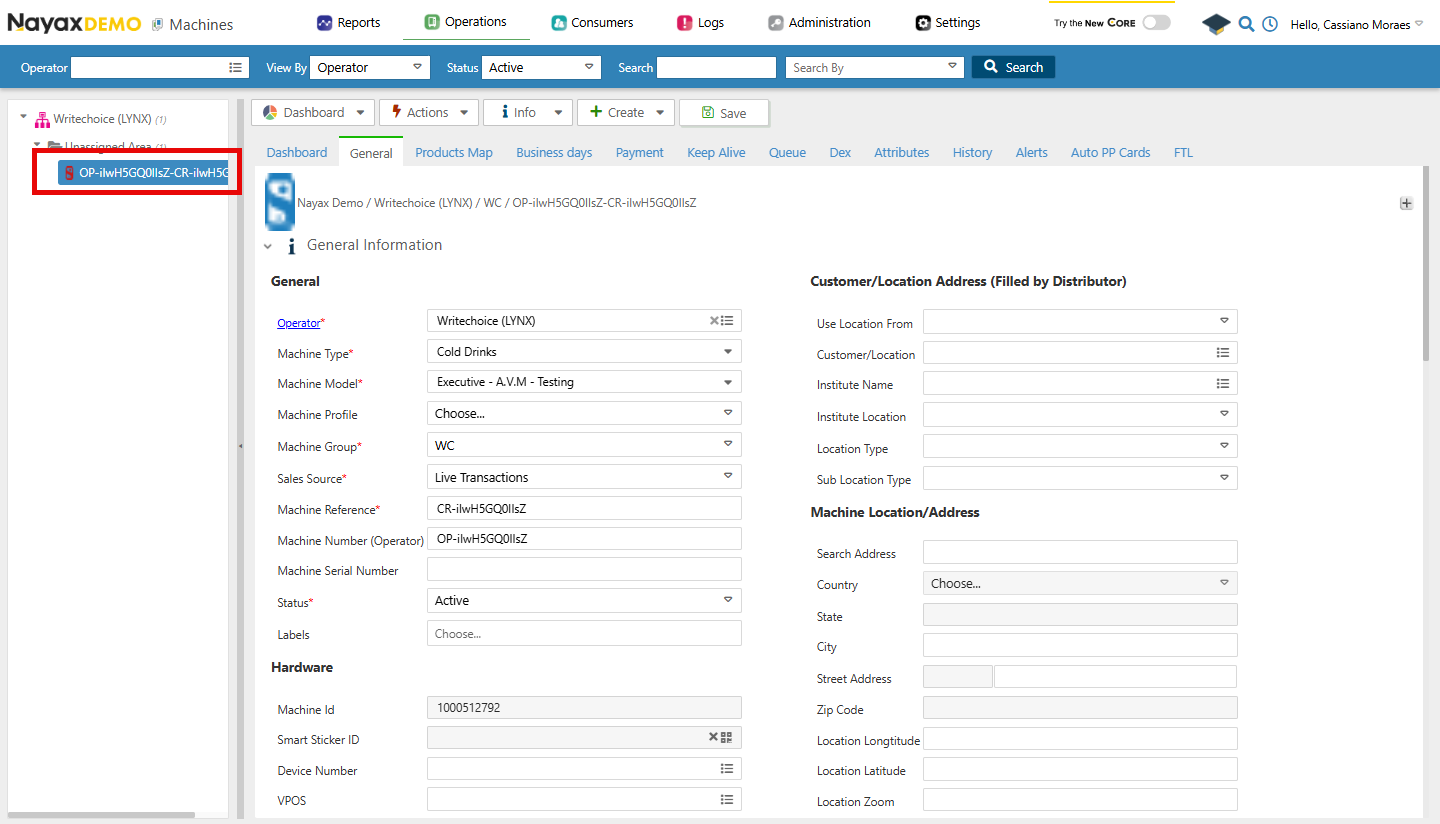
Once a new machine is created, you can verify it in Nayax Core, as in the steps below:- Go to Operations > Machines.
- Use the Search feature to filter the Machine, and select it from the list.