

Payment Flow
The diagram below illustrates the complete sequence of events for a Multi-Vending transaction.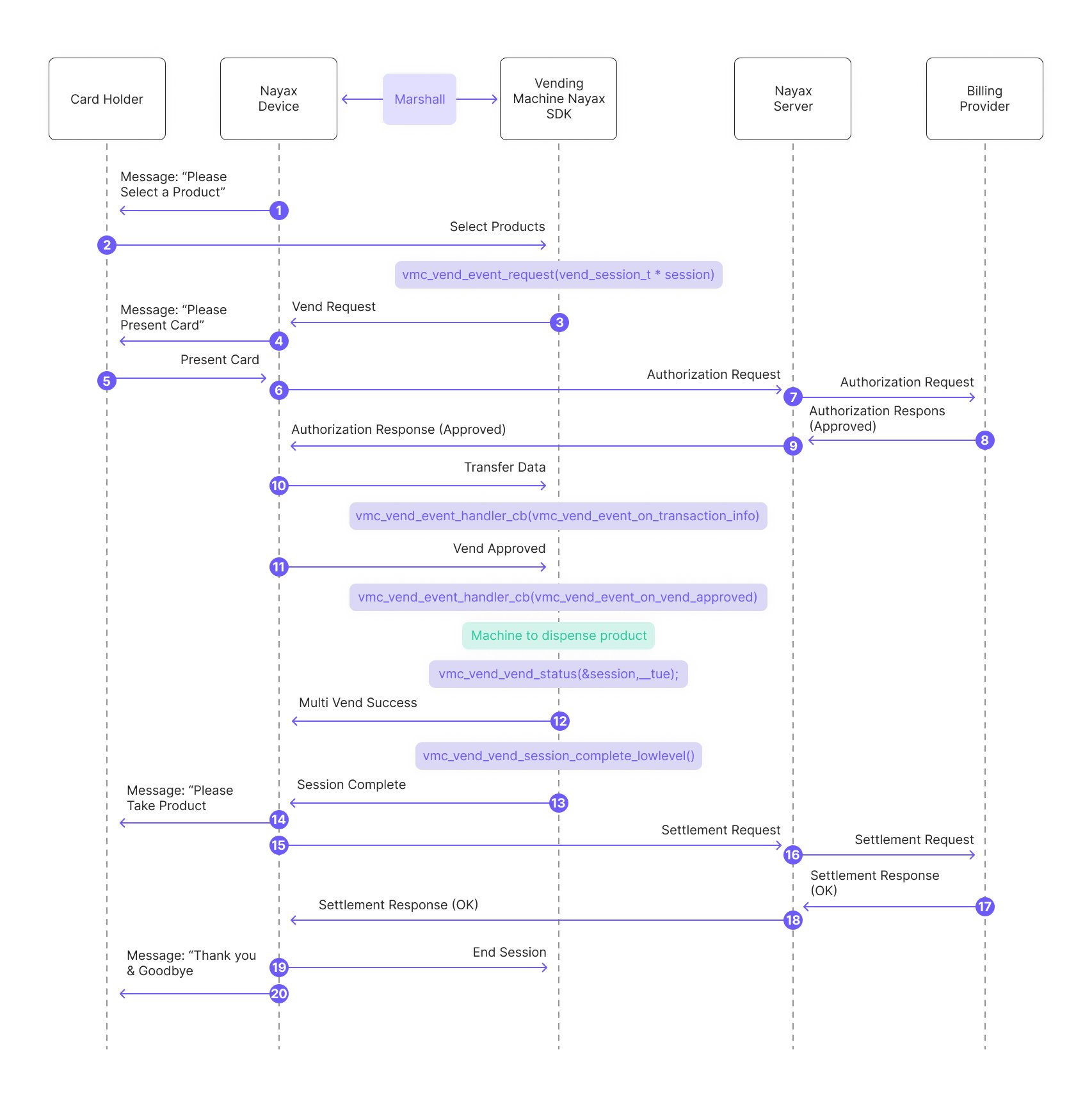
- The Nayax Device sends a message to the consumer: “Please Select a Product.”
-
The consumer selects the desired product/s from the vending machine. Said products are being added to a list called “session”:
-
The peripheral’s SDK sends a vending request to the Nayax Device:
- The Nayax Device sends a message to the consumer: “Please Present Card.”
- The consumer presents their payment card.
- The Nayax Device sends an authorization request to the Nayax Server.
- The Nayax Server forwards the authorization request to the Billing Provider.
- The Billing Provider sends an authorization response (approved) to the Nayax Server.
- The Nayax Server sends the authorization response (approved) back to the Nayax Device.
-
The peripheral’s SDK handles transaction data received from the Nayax Device via Transfer Data (said data includes information about the Nayax transaction ID and the consumer’s card details):
-
The SDK triggers “Vend Approved” events:
- The peripheral dispenses the product/s to the consumer.
-
The SDK reports “vend success”:
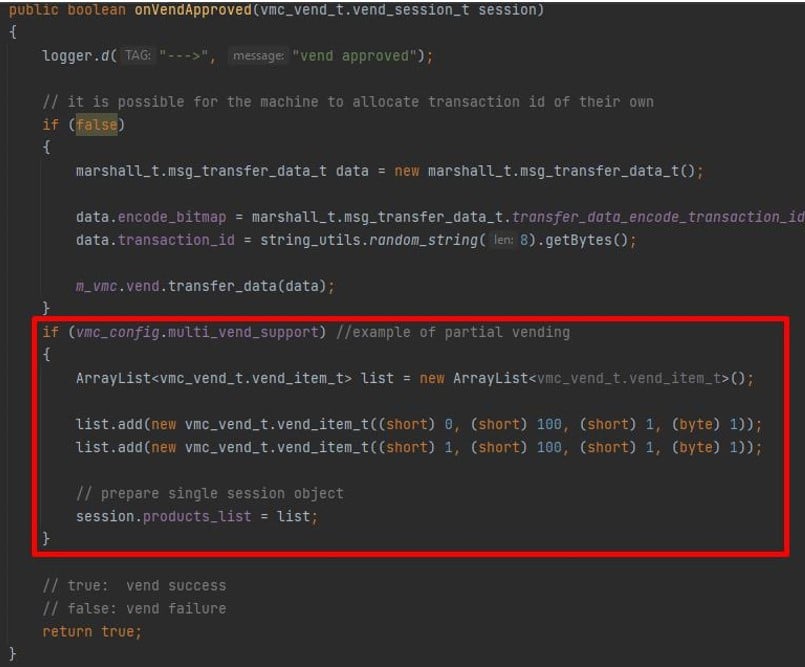
Note: In case of partial dispensing (meaning not all of the selected items were actually vended) you can create a new list with only the items which were actually vended prior to responding with “true”:And completes the vending session:
- Message to the consumer: “Please Take Product.”
- The Nayax Device sends a settlement request to the Nayax Server.
- The Nayax Server forwards the settlement request to the Billing Provider.
- The Billing Provider sends a settlement response (OK) to the Nayax Server.
- The Nayax Server returns the settlement response (OK) to the Nayax Device.
See Also
Payment Flows
Explore the full range of payment flows available in the Marshall SDK.
Get Started
Get up and running with the Marshall SDK integration.
Methods & Functions
Find reference documentation for all methods and functions in the Marshall SDK.