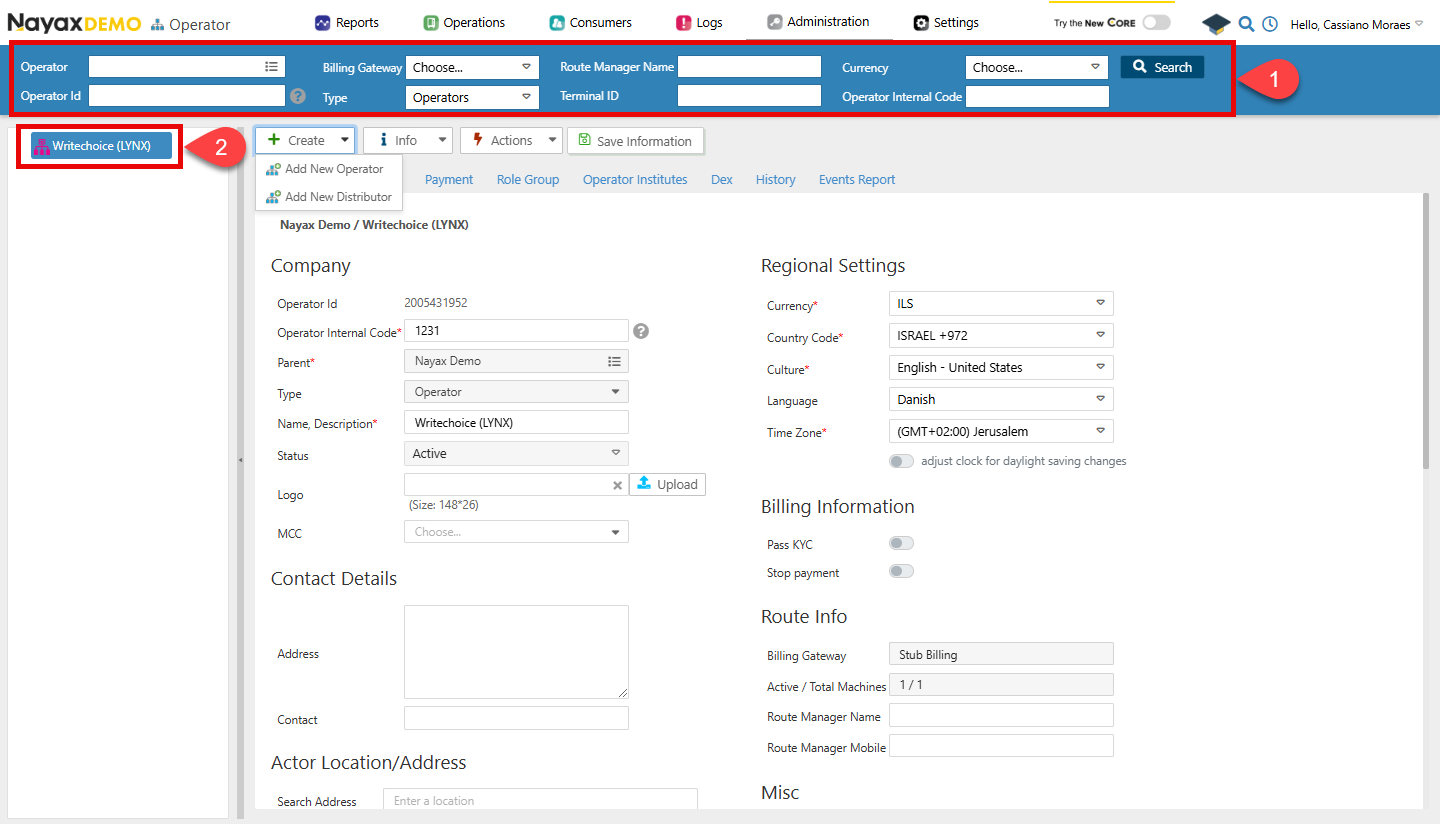
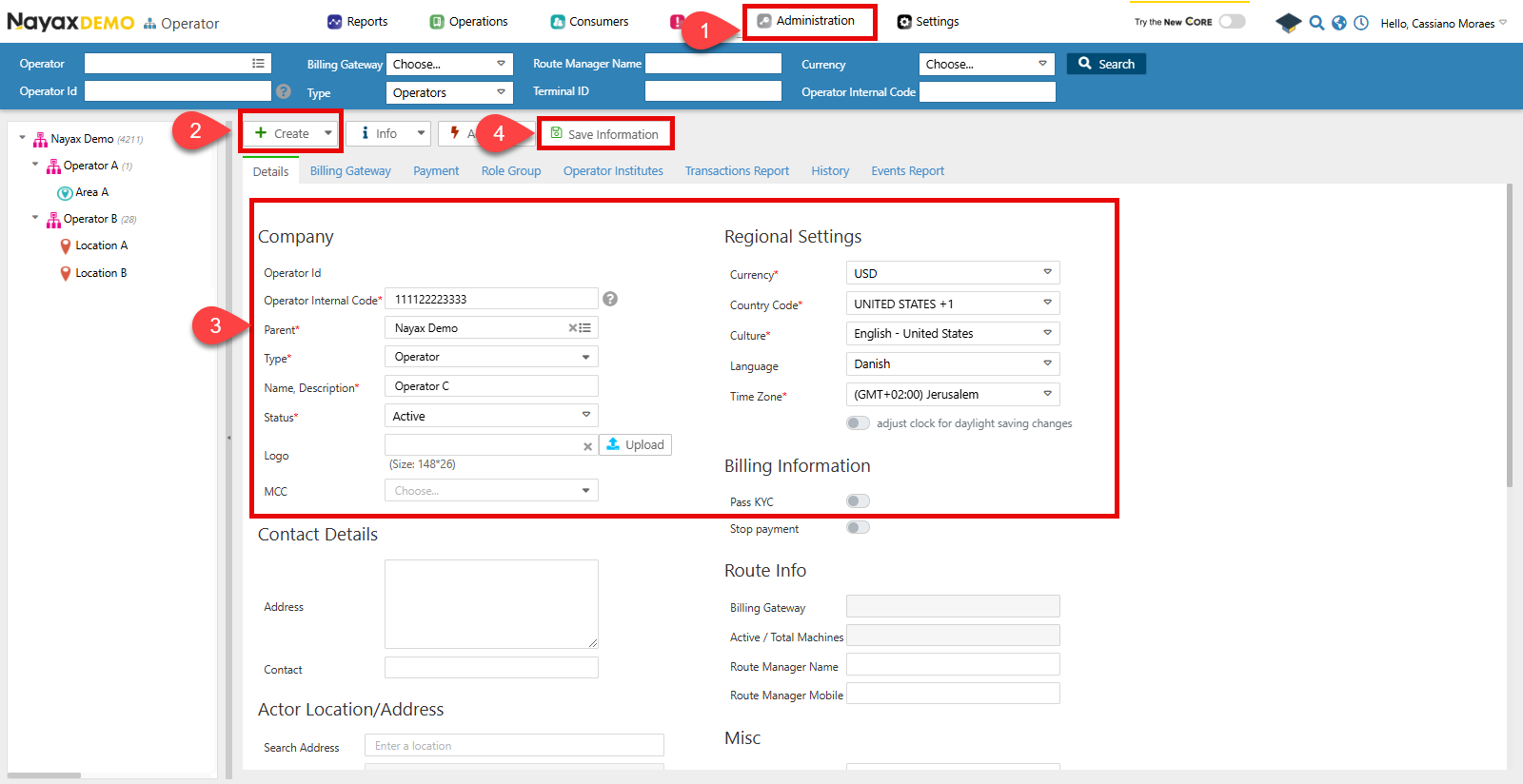
- Go to Administration > Operator.
- Click Create > Add New Operator.
- Now, you must fill out the required details on the form.
- Operator Internal Code: This is the SAP Customer number.
- Parent: Refers to the parent actor for this new operator, which, in this example, is the distributor itself.
- Type: The operator type.
- Status: The status of the operator.
- Regional Settings: Configuration regarding currency and timezone.
- When finished, click Save Information.
Lynx API
This process can also be done programmatically through Lynx API with a POST request to the following endpoint:Create Operator Request
The Create New Actor endpoint allows for registering a new operator in the Nayax system. See the example request in the code block below:Request
Path ParamsChange the
ParentActorID with the unique identifier of the parent actor under which the new operator will be created.
A successful request will return a response with the created operator details.
Verify Creation
You can check if your operator was correctly created in Nayax Core in theOperators menu.
- Use the Search function to filter your operator.
- Select it from the list.