> ## Documentation Index
> Fetch the complete documentation index at: https://nayax-44d6e37b-docs-marshall-faq-redistribution.mintlify.site/llms.txt
> Use this file to discover all available pages before exploring further.
# Retrieve Hierarchy
export const EndpointCard = ({method = "API", title, children, href, arrow = true}) => {
const METHOD_STYLES = {
GET: {
bg: "mint-bg-green-400/20 dark:mint-bg-green-400/20",
text: "mint-text-green-700 dark:mint-text-green-400",
border: "mint-border-green-300 dark:mint-border-green-700"
},
POST: {
bg: "mint-bg-blue-400/20 dark:mint-bg-blue-400/20",
text: "mint-text-blue-700 dark:mint-text-blue-400"
},
PUT: {
bg: "mint-bg-yellow-400/20 dark:mint-bg-yellow-400/20",
text: "mint-text-yellow-700 dark:mint-text-yellow-400"
},
PATCH: {
bg: "mint-bg-orange-400/20 dark:mint-bg-orange-400/20",
text: "mint-text-orange-700 dark:mint-text-orange-400"
},
DELETE: {
bg: "mint-bg-red-400/20 dark:mint-bg-red-400/20",
text: "mint-text-red-700 dark:mint-text-red-400"
},
API: {
bg: "mint-bg-black",
text: "mint-text-white"
}
};
const MethodBadge = ({method}) => {
const style = METHOD_STYLES[method?.toUpperCase()] ?? METHOD_STYLES.GET;
return
{method?.toUpperCase()}
;
};
const content =
{}
{title}
{children &&
{children}
}
{}
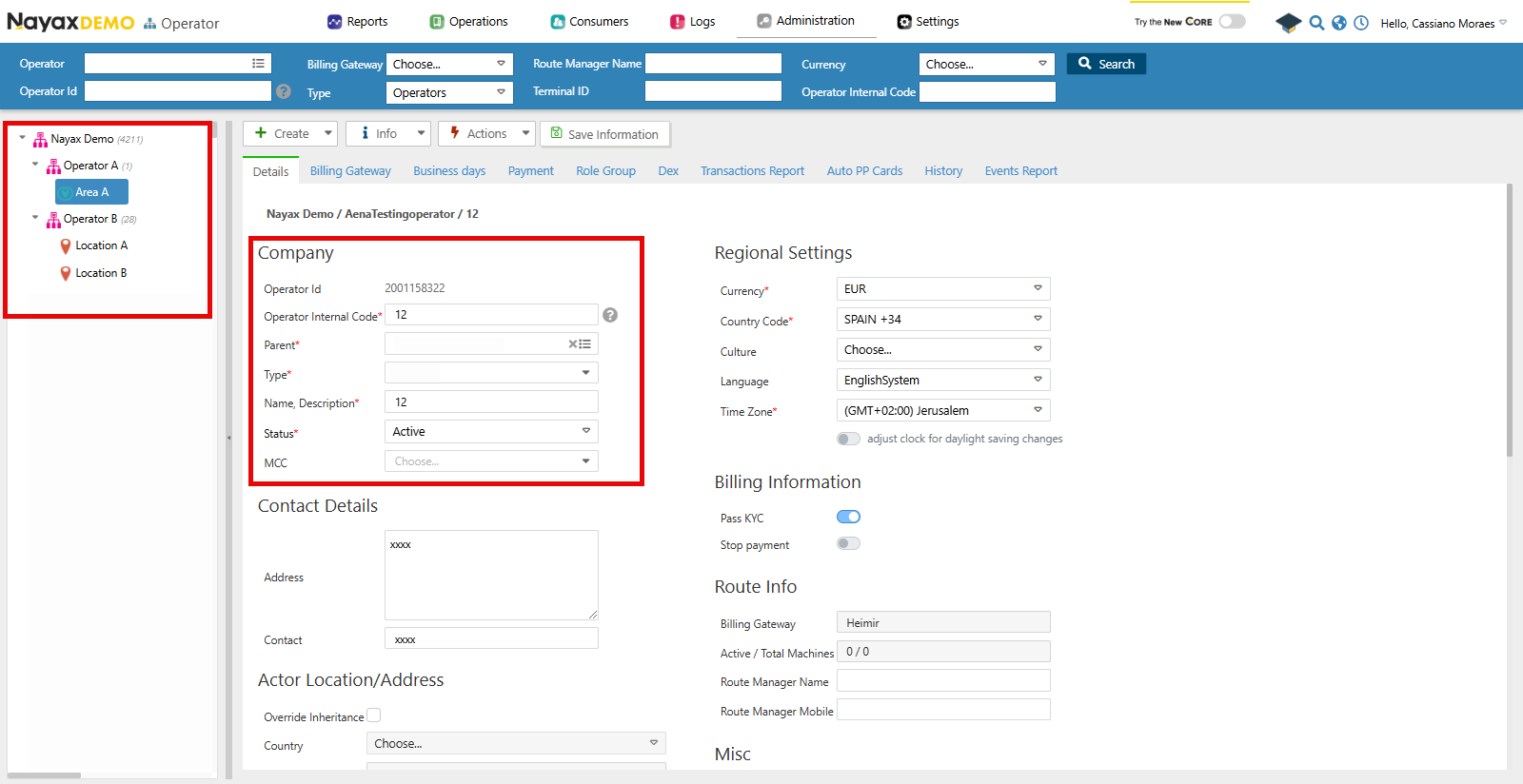 ## Lynx API
You can also use Lynx API to programmatically retrieve the hierarchy of an Operator and its details by using the following endpoint:
### Get Operator Hierarchy
The [Get Actor Hierarchy for Current User](/reference/lynx/actors/get-actor-hierarchy-for-current-user) endpoint retrieves the hierarchy for the current user or a specified actor/operator and its child entities, such as areas, routes, and machines, by providing the `ActorID` in the query params of the request. See the example request in the code block below:
```sh theme={null}
curl --request GET \
--url 'https://qa-lynx.nayax.com/operational/v1/actors/hierarchy?ActorID=' \
--header 'accept: application/json'
```
The available Query Params are:
| Parameter | Description |
| :-------------------- | :------------------------------------------------------------------------------------------------------------------------- |
| `ActorID` | The unique ID of the operator or actor whose hierarchy you want to retrieve. |
| `StatusID` | Filter the hierarchy to include only actors with a specific status. Use this to retrieve only active or inactive entities. |
| `HierarchyLevelLimit` | Specify the maximum depth of the hierarchy to be returned. For example, 1 for immediate children and 2 for grandchildren. |
**Lynx API Actors**
In Nayax Core, the Operators and its types, such as "Area" and "Routes", are only nomenclatures that help you differentiate them. However, in Lynx API, they are all referred to as Actors, which are only differentiated by the `ActorTypeID`.
### Response
With a successful request, the endpoint will return an array of Operator objects. See an example in the code block below:
```json theme={null}
{
"ParentActorID": 0,
"ActorID": 12345,
"ActorDescription": "Operator A",
"ActorTypeID": 2,
"ActorStatus": 1,
"ActorHierarchyLevel": 0,
"ActorChildren": [
{
"ParentActorID": 12345,
"ActorID": 23456,
"ActorDescription": "Area A",
"ActorTypeID": 3,
"ActorStatus": 1,
"ActorHierarchyLevel": 1,
"ActorChildren": [
{
"ParentActorID": 23456,
"ActorID": 34567,
"ActorDescription": "Route A",
"ActorTypeID": 4,
"ActorStatus": 1,
"ActorHierarchyLevel": 2,
"ActorChildren": [
{
"ParentActorID": 34567,
"ActorID": 45678,
"ActorDescription": "Machine 1",
"ActorTypeID": 5,
"ActorStatus": 1,
"ActorHierarchyLevel": 3,
"ActorChildren": []
}
]
}
]
}
]
}
```
As you can see above, this is the hierarchy for the Operator with the `ActorID: 12345` showing each of its children operators. The table below describes each of the response's body parameters:
| Parameter | Description |
| :-------------------- | :---------------------------------------------------------- |
| `ParentActorID` | ID of the parent actor for the specified actor. |
| `ActorID` | Unique ID of the current actor. |
| `ActorDescription` | Description or name of the actor. |
| `ActorTypeID` | Type of actor (e.g., Operator, Area, Route). |
| `ActorStatus` | Status of the actor (e.g., active, inactive). |
| `ActorHierarchyLevel` | The level of the actor within the hierarchy. |
| `ActorChildren` | A list of child actor IDs or details for the current actor. |
## Lynx API
You can also use Lynx API to programmatically retrieve the hierarchy of an Operator and its details by using the following endpoint:
### Get Operator Hierarchy
The [Get Actor Hierarchy for Current User](/reference/lynx/actors/get-actor-hierarchy-for-current-user) endpoint retrieves the hierarchy for the current user or a specified actor/operator and its child entities, such as areas, routes, and machines, by providing the `ActorID` in the query params of the request. See the example request in the code block below:
```sh theme={null}
curl --request GET \
--url 'https://qa-lynx.nayax.com/operational/v1/actors/hierarchy?ActorID=' \
--header 'accept: application/json'
```
The available Query Params are:
| Parameter | Description |
| :-------------------- | :------------------------------------------------------------------------------------------------------------------------- |
| `ActorID` | The unique ID of the operator or actor whose hierarchy you want to retrieve. |
| `StatusID` | Filter the hierarchy to include only actors with a specific status. Use this to retrieve only active or inactive entities. |
| `HierarchyLevelLimit` | Specify the maximum depth of the hierarchy to be returned. For example, 1 for immediate children and 2 for grandchildren. |
**Lynx API Actors**
In Nayax Core, the Operators and its types, such as "Area" and "Routes", are only nomenclatures that help you differentiate them. However, in Lynx API, they are all referred to as Actors, which are only differentiated by the `ActorTypeID`.
### Response
With a successful request, the endpoint will return an array of Operator objects. See an example in the code block below:
```json theme={null}
{
"ParentActorID": 0,
"ActorID": 12345,
"ActorDescription": "Operator A",
"ActorTypeID": 2,
"ActorStatus": 1,
"ActorHierarchyLevel": 0,
"ActorChildren": [
{
"ParentActorID": 12345,
"ActorID": 23456,
"ActorDescription": "Area A",
"ActorTypeID": 3,
"ActorStatus": 1,
"ActorHierarchyLevel": 1,
"ActorChildren": [
{
"ParentActorID": 23456,
"ActorID": 34567,
"ActorDescription": "Route A",
"ActorTypeID": 4,
"ActorStatus": 1,
"ActorHierarchyLevel": 2,
"ActorChildren": [
{
"ParentActorID": 34567,
"ActorID": 45678,
"ActorDescription": "Machine 1",
"ActorTypeID": 5,
"ActorStatus": 1,
"ActorHierarchyLevel": 3,
"ActorChildren": []
}
]
}
]
}
]
}
```
As you can see above, this is the hierarchy for the Operator with the `ActorID: 12345` showing each of its children operators. The table below describes each of the response's body parameters:
| Parameter | Description |
| :-------------------- | :---------------------------------------------------------- |
| `ParentActorID` | ID of the parent actor for the specified actor. |
| `ActorID` | Unique ID of the current actor. |
| `ActorDescription` | Description or name of the actor. |
| `ActorTypeID` | Type of actor (e.g., Operator, Area, Route). |
| `ActorStatus` | Status of the actor (e.g., active, inactive). |
| `ActorHierarchyLevel` | The level of the actor within the hierarchy. |
| `ActorChildren` | A list of child actor IDs or details for the current actor. |